How to install Kiwari on a Mac
Support
Kiwari is damaged or won’t open
Kiwari is still in Beta. Run this in the Terminal app when opening or updating:
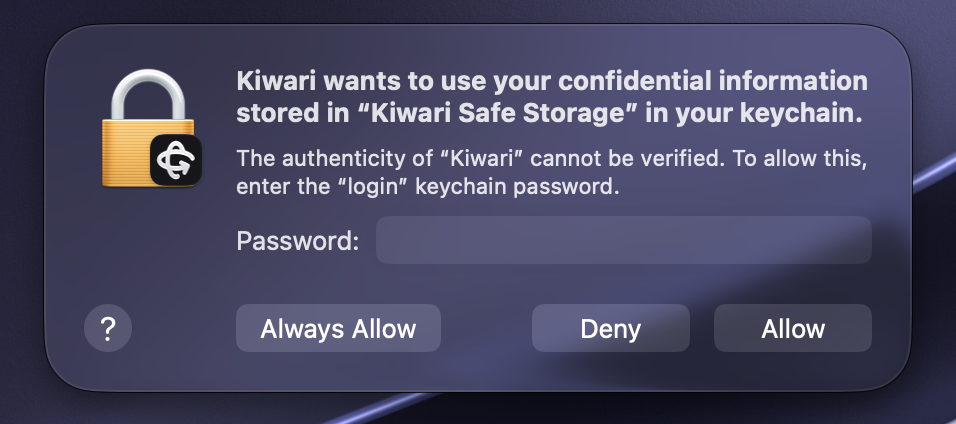
xattr -cr "/Applications/Kiwari.app" && open "/Applications/Kiwari.app"My mac asks to use “Kiwari Safe Storage”
The app keeps your sign-in encrypted with a key in your keychain. Enter your login password and choose Always Allow.
Studio isn’t connected
Open a game in Roblox Studio, then follow these steps to connect Studio:
- In Studio, open a place. Click Assistant (top right), then ⋯ → Manage MCP Servers.
- Turn on “Enable Studio as MCP server” and accept the consent prompt.
- Enable the tools, then hit reconnect in Kiwari.
Usage goes down too quickly, agent is slow or is less accurate
Kiwari remembers previous chats, start a new chat: if not active for 5 minutes, long conversations use more of your usage and slow the agent down. Scope clearly what you want the agent to do, especially with smaller models.
Downloading features, documentation, or exploring models doesn't work
If the agent is stuck on certain steps, your network may be blocking requests to Roblox. Change network and retry. If you think this is a bug, report it on our Discord.
Sign-in never finishes
Make sure you have clicked on the 'Open Kiwari' button after logging in in your browser, or click again the login button in the app.
Where can I manage my account?
Subscribe and manage billing in the app under Settings → Account. If your status doesn’t update after paying, try refreshing.
Kiwari is slow on my Mac
You could have installed the Intel version. Download the right version by clicking on the larger download button, replace the app in Applications, then run the Terminal command above.
I'm out of usage
You can upgrade your plan, enable overages, or wait for your limit reset.